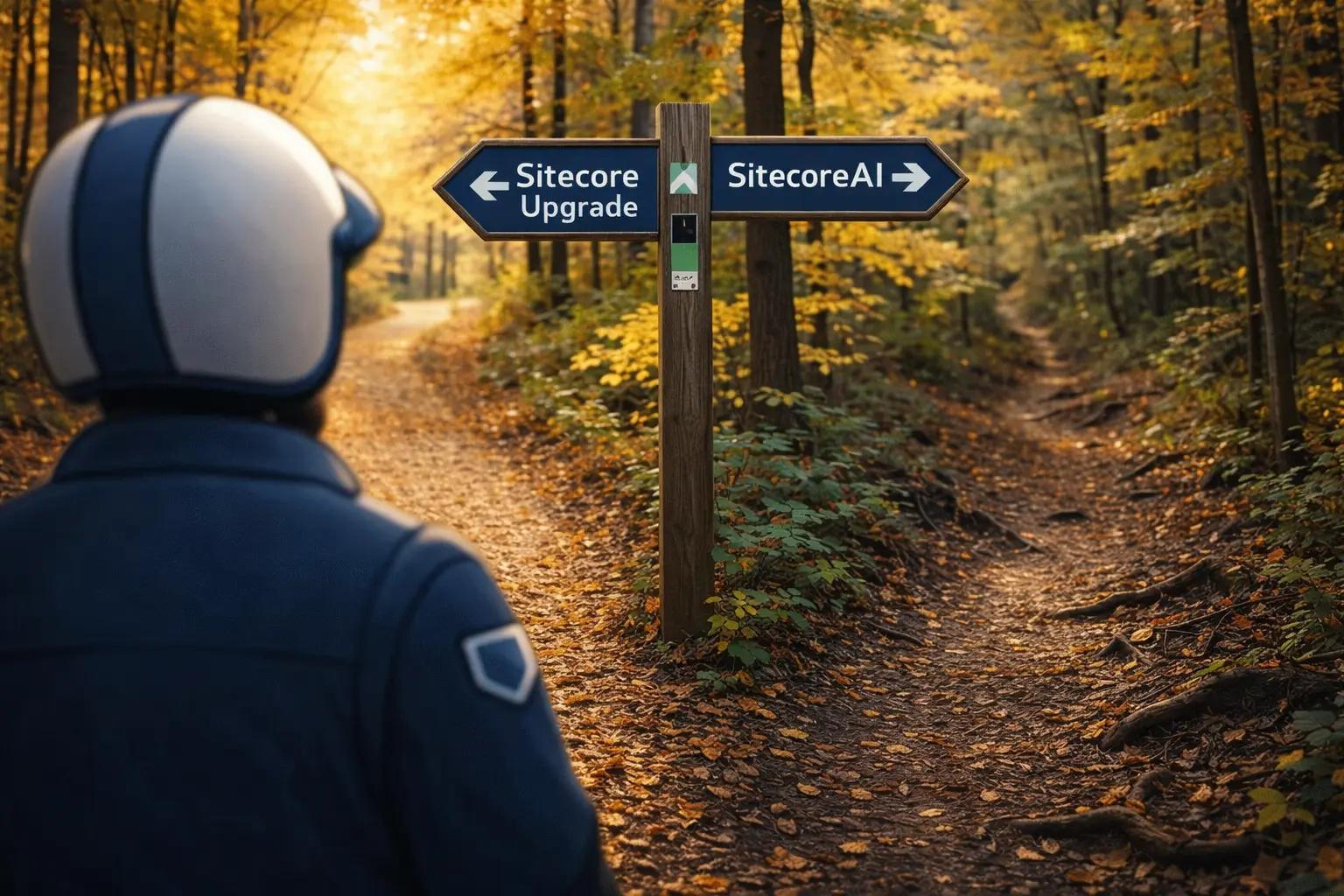
I've built on every major Sitecore version since the platform's early days. Version 5, 6, 7, 8, 9, and now 10. Each release promised transformation. They were all magical in their own way. From the green dots, to OMS or DMS or whatever, to marketing automation to today. Each holds a special place in my heart.
If your organization is still running Sitecore 9.x or earlier, you're facing a more fundamental decision than a simple version upgrade. Sitecore's strategic direction has shifted dramatically. The platform now offers two distinct paths forward, and choosing between them matters more than which version number you land on.
The modern path: SitecoreAI with a headless architecture represents Sitecore's flagship offering and the future of the platform. This is our primary recommendation for most organizations.
The traditional path: Upgrading to Sitecore XP 10.4 remains an option if you have compelling reasons to stay on the Experience Platform architecture. We implement plenty of these upgrades. They're still a thing. But they're not the default answer anymore.
Let me walk you through both paths honestly, so you can make an informed decision about where to plant your foundation for the next decade.
The Modern Path: SitecoreAI and Headless Architecture
Before we discuss upgrading to Sitecore XP 10.4, let's address what Sitecore itself positions as the future: SitecoreAI with a modern headless stack.
SitecoreAI represents Sitecore's flagship offering, combining XM Cloud (their modern headless CMS), CDP (Customer Data Platform), Personalize, Content Hub, and AI-powered capabilities in a composable architecture. This is where Sitecore's investment and innovation focus lives.
Why this is our primary recommendation:
The headless approach solves fundamental problems that traditional Sitecore XP struggles with. You get true separation between content management and content delivery. Development teams can work with modern frameworks. Frontend and backend concerns decouple completely. Scaling becomes more flexible. DevOps complexity decreases.
More importantly, you're aligning with where the platform is headed. Sitecore's roadmap, feature development, and strategic direction all point toward this composable, headless future. Organizations that embrace SitecoreAI now position themselves for everything Sitecore builds next.
When SitecoreAI makes sense:
- Your team has or can develop modern frontend expertise (React, Next.js, Vue)
- You value development velocity and want to ship features faster
- Multichannel delivery matters (web, mobile, IoT, whatever comes next)
- You're willing to rethink how content authoring and publishing work
- You see value in Sitecore's AI-powered personalization and analytics
- You want to reduce operational complexity over time
- Your content model can adapt to a more structured, API-first approach
The honest tradeoffs:
Moving to SitecoreAI isn't a simple lift-and-shift migration. It's a reimagining of your content operations. Content models need restructuring. Authoring workflows change. Integrations get rebuilt. Your team needs new skills.
For organizations with years of accumulated Sitecore XP customizations, templates, and workflows, this represents significant change. The effort can be substantial. But the long-term benefits typically justify the investment.
What you gain:
- Modern development experience that attracts and retains talent
- Faster iteration cycles and deployment velocity
- Better performance characteristics out of the box
- Reduced operational overhead (especially with XM Cloud)
- Access to Sitecore's latest AI and personalization capabilities
- A platform architecture built for the next decade, not the last one
This is the path we recommend first. It's where Sitecore is investing. It's where the platform is strongest. It's the foundation built for what's coming, not what worked before.
The Traditional Path: Upgrading to Sitecore XP 10.4
Now let's talk about the upgrade path, because it's still a legitimate option for certain organizations.
If you have compelling reasons to stay on Sitecore XP, upgrading to version 10.4 is the way forward. We implement these upgrades regularly. They're not deprecated. They're not a dead end. But they are the traditional path rather than the modern one.
When upgrading to Sitecore XP 10.4 makes sense:
- You have deep investments in XP-specific features (xConnect, Experience Analytics, Marketing Automation) that your business depends on
- Your team's expertise is centered on traditional .NET/Sitecore development
- You're not ready to restructure content models and authoring workflows
- Budget or timeline constraints favor upgrade over reimagining
- You have compliance or regulatory requirements that complicate cloud adoption
- Your organization moves slowly on architectural changes and needs incremental evolution
The reality:
Sitecore XP 10.4, released in April 2024, includes nearly 200 updates based on customer feedback. Enhanced security measures. HIPAA compliance for healthcare organizations. Improved marketing stack integration. It's a mature, stable platform.
But it's also the end of a line. Sitecore XP represents the traditional monolithic approach. The architecture that served well for years but struggles with modern requirements around velocity, scale, and development experience.
Choosing this path means accepting that you're maintaining an aging architecture. Support will continue. Updates will come. But the innovation happens elsewhere.
Understanding What Sitecore 9 Gave You
Before we discuss Sitecore 10, it's worth acknowledging what Sitecore 9 brought to the table when it was released in October 2017. This context matters because many organizations built significant capabilities on the 9.x foundation.
xConnect and the Experience Database
Sitecore 9 introduced xConnect, a service layer that fundamentally changed how developers integrate with the Experience Database. Rather than direct database access, xConnect provided a proper API for retrieving customer interaction data from multiple sources. If you built personalization or reporting capabilities on Sitecore 9, you're likely dependent on xConnect.
This architectural decision was the right one. Clean API boundaries matter for platform longevity. But it also means your Sitecore 9 integrations require careful assessment during any upgrade planning.
Sitecore Forms and Marketing Automation
The introduction of Sitecore Forms gave marketing teams a drag-and-drop form builder integrated directly into the platform. No more relying on third-party form tools or custom development for every lead capture form.
Combined with enhanced marketing automation capabilities and Sitecore Cortex (the machine learning framework for content tagging and personalization), Sitecore 9 positioned itself as a complete marketing platform, not just a CMS.
Headless Development Through JavaScript Services
Sitecore 9 brought JavaScript Services (JSS), enabling headless development with Angular, React, or Vue while maintaining Sitecore's backend capabilities. This was forward-thinking. Organizations that embraced JSS on Sitecore 9 were better positioned for modern front-end architecture patterns.
The Sitecore Installation Framework
SIF (Sitecore Installation Framework) automated deployment through PowerShell, replacing the manual installation processes of previous versions. It worked, but it was still complex. Anyone who spent hours debugging SIF configurations knows what I mean.
Since the initial Sitecore 9.0 release, there were subsequent versions: 9.1, 9.2, and 9.3, each adding incremental improvements. But the 9.x line also accumulated complexity. Each point release added features while the underlying architecture struggled with the weight of accumulated capabilities.
The Support Lifecycle Reality
Sitecore follows a structured support approach consisting of three phases: Mainstream Support, Extended Support, and Sustaining Support. Understanding where your version sits in this lifecycle is critical to planning your path forward.
As of December 31, 2022, all Sitecore versions 9.3 and older have exited mainstream support. Versions 8.x have moved into Sustaining Support, where Sitecore provides only limited assistance focused on critical security issues and essential bug fixes. This isn't a theoretical concern. It's the reality of running enterprise software.
During mainstream support, you receive regular updates, bug fixes, and comprehensive assistance. Your issues get escalated to product teams who are actively working in that codebase. When you're stuck at 2 AM before a major launch, that matters.
In extended support, you still get critical bug fixes, but the knowledge base shifts. The developers working on current Sitecore versions are building features for 10.x and beyond. When you need help with an older version, you're asking them to context-switch into code they haven't touched in years.
By the time you reach sustaining support, you're on your own for anything beyond security patches. Custom fixes become billable engagements. Integration issues with modern third-party systems become your problem to solve. Technical debt compounds.
What Sitecore XP 10 Actually Brings (If You're Upgrading)
For organizations choosing the traditional upgrade path, Sitecore XP 10 represents more than an incremental update. According to Sitecore's own documentation, the Experience Platform 10.0 focuses on "enhancements and product updates to provide more development and deployment options, increase usability, and improve overall performance."
Let me translate the marketing language into what this actually means for your implementation.
Containerization: The Foundation That Changes Everything
The most significant advancement in Sitecore 10 is official, out-of-the-box support for Docker and Kubernetes. This isn't a nice-to-have feature. It's a complete reimagining of how Sitecore instances get deployed and maintained.
Before containers, spinning up a local Sitecore environment meant wrestling with the Sitecore Installation Framework, managing SQL Server instances, configuring Solr, ensuring the right .NET Framework version, and hoping your local setup matched production. I've watched developers spend entire days just getting a clean local environment running.
With Sitecore 10, you can run docker-compose up and have a complete environment running within minutes. Every developer on your team gets an identical environment. The "works on my machine" problem largely disappears.
For deployment teams, Kubernetes support through Azure Kubernetes Service (AKS) enables true infrastructure-as-code approaches. You can implement blue-green deployments, manage scaling more efficiently, and maintain consistent environments from development through production. The operational overhead of managing Sitecore instances decreases significantly.
What this really means:
- Simplified installation process
- Flexible and rapid software development and deployment
- Reduced consumption of system resources
- Genuine continuous delivery capability
- Faster onboarding for new team members
- Consistent environments across the entire deployment pipeline
The containerization support also reveals Sitecore's strategic direction. They're moving toward a SaaS future, and containers are the enabling technology. Organizations that embrace containers now will find future transitions to Sitecore XM Cloud or other cloud offerings considerably smoother.
Enhanced Headless Architecture with ASP.NET Core
Sitecore 9 introduced headless development through JavaScript Services. Sitecore 10 expands this with an ASP.NET Core SDK and headless rendering host framework, giving development teams new methodologies for building applications on the latest .NET technology.
This matters for ecommerce implementations particularly. Headless architecture ensures flexibility, scalability, and time efficiency. You can develop powerful multichannel solutions faster than traditional coupled approaches allowed.
If you've been considering headless architecture, Sitecore 10 provides the foundation without requiring a complete leap to Sitecore's cloud offerings. You can build headless experiences while maintaining your on-premises or hosted infrastructure.
Sitecore CLI and Improved Content Serialization
The new Sitecore CLI combines the best aspects of Team Development for Sitecore (TDS) and Unicorn, bringing official serialization support directly from Sitecore. For anyone who spent years managing TDS licenses or configuring Unicorn, this is welcome news.
You can now script content changes and move them between environments as part of your deployment pipeline. For organizations with complex approval workflows or multi-region deployments, this capability reduces friction and risk considerably.
Marketing and Analytics Enhancements
Sitecore 10 includes improved audience analytics filters that enable deeper insights into engagement and segmentation. Marketing automation capabilities expand to include features like automated birthday campaigns and enhanced personalization triggers across channels.
For marketing teams that have invested heavily in Sitecore's personalization capabilities, these enhancements provide more granular control and better data to drive decisions. The machine learning capabilities introduced in Sitecore 9's Cortex continue to evolve, automating content tagging and testing.
Performance and Developer Experience Improvements
Beyond the headline features, Sitecore 10 brings numerous improvements to speed, reliability, and overall performance. Page load times improve. Publishing operations complete faster. The developer experience benefits from better tooling and frameworks.
Modern integration capabilities mean Sitecore 10 connects more seamlessly with contemporary platforms and tools. The ecosystem becomes more cohesive rather than requiring constant integration gymnastics.
Why Upgrade to Sitecore XP 10.4? (If You're Staying on the Traditional Path)
If you've determined that staying on Sitecore XP makes sense for your organization, upgrading to version 10.4 is critical. Let me give you the actual reasons that should drive this decision.
The Support Lifecycle Deadline
As of December 31, 2022, all Sitecore versions 9.3 and older exited mainstream support. Versions 8.x have moved into Sustaining Support, where Sitecore provides only limited assistance focused on critical security issues and essential bug fixes.
This isn't theoretical. During mainstream support, your issues get escalated to product teams actively working in that codebase. When you're stuck before a major launch, that access matters. In extended support, you still get critical bug fixes, but the knowledge base shifts. By sustaining support, you're largely on your own. Custom fixes become billable engagements.
Security and Stability
Sitecore XP 10.4 introduces numerous security enhancements and updates that provide a more secure environment for your content and data. Older versions won't receive security patches. Integration issues with modern third-party systems will multiply as those systems move forward while your platform stands still.
Security vulnerabilities discovered after your version exits support don't get fixed. You're responsible for mitigation, which often means expensive custom work or accepting risk.
Performance Improvements That Compound
Sitecore XP 10 offers measurable improvements in speed, reliability, and overall performance. Page load times decrease. Publishing operations complete faster. The benefits accumulate across every user interaction, every content deployment, every integration call.
These aren't marginal improvements. Organizations report 30-50% faster page loads in common scenarios. For high-traffic sites, this directly impacts revenue and user satisfaction.
Developer Experience and Velocity
Improved tools and frameworks make it easier to build, test, and deploy Sitecore solutions. Containerization alone can reduce environment setup time from days to hours. The Sitecore CLI streamlines content serialization. Modern .NET support means your development team can use contemporary frameworks and practices.
Better developer experience translates to faster feature delivery, fewer deployment issues, and easier team onboarding. The operational efficiency gains compound over time.
Modern Integration Capabilities
Sitecore XP 10 connects more seamlessly with modern platforms and tools. APIs improve. Integration patterns become cleaner. The platform aligns better with contemporary architectural approaches.
If you're integrating with marketing automation platforms, analytics tools, commerce systems, or custom applications, Sitecore XP 10's enhanced integration capabilities reduce friction and maintenance burden.
The Path Forward Within XP
The most compelling reason to upgrade if you're staying on XP: Sitecore XP 10 establishes the foundation for everything that comes next in the traditional platform line. Sitecore XP 10.1, 10.2, 10.3, and 10.4 (released in April 2024) have added nearly 200 incremental improvements based on customer feedback. Enhanced security measures, improved marketing stack integration, HIPAA compliance for healthcare organizations.
Organizations on the 10.x line can adopt these improvements incrementally. Organizations still on 8.x or 9.x face an ever-widening gap between their current state and where the platform is headed.
But understand: you're investing in the traditional path. It's a valid choice for certain situations. Just make it with clear eyes about what you're choosing and why.
The Versions That Followed
Since the initial Sitecore 10.0 release, subsequent versions (10.1, 10.2, 10.3, and 10.4) have added incremental improvements. Sitecore 10.4, released in April 2024, includes nearly 200 updates based on customer feedback, improved integration with marketing stacks, enhanced security measures, and HIPAA compliance for healthcare organizations.
These iterative releases demonstrate Sitecore's commitment to the 10.x platform line. Organizations upgrading from 8.x or 9.x don't need to immediately jump to the absolute latest version, but establishing a foundation on the 10.x line positions you for incremental updates rather than major upheavals.
Before You Start: What the Upgrade Process Actually Requires
Upgrading your CMS is a critical decision that directly impacts your website's functionality, performance, and security. I've guided organizations through dozens of Sitecore upgrades. Here's what you need to consider before you begin.
Assess Your Current Implementation Thoroughly
Start by documenting everything. Not just what you think you know, but what's actually there.
Inventory Your Customizations:
- Pipeline overrides and modifications
- Custom validation rules and validators
- Workflow customizations
- Sitecore UI customizations (Sheer, SPEAK)
- Every integration point with third-party systems
- All custom modules and extensions
- Field types that extend Sitecore's base types
- Custom search configurations
This audit serves three purposes. First, it helps you understand the true scope of upgrade work. Second, it forces you to question whether each customization is still necessary. Third, it identifies technical debt that should be addressed during the upgrade.
I've watched organizations discover that half their custom code solves problems that no longer exist. Business requirements changed. Better solutions emerged. The original developers moved on and nobody questioned whether the complexity was still needed.
Analyze Your Third-Party Dependencies:
Document every plugin, module, and third-party tool your implementation relies on. Verify compatibility with Sitecore 10. Some Sitecore 9 plugins work with Sitecore 10 without modification. Others require updates. Some have been deprecated entirely.
Sitecore maintains a modules compatibility table. Review it carefully. Contact vendors for roadmap information. Plan for the work required to update, replace, or eliminate incompatible dependencies.
Develop Your Data Migration Strategy
Content and configuration migration can make or break an upgrade project. Develop a clear strategy before you start.
Critical Questions to Answer:
- How will you migrate content without loss or corruption?
- What manual intervention will be required?
- How will you handle custom field types?
- What about complex content relationships?
- How will integration data be preserved?
- What's your rollback plan if migration fails?
Test your migration process thoroughly. Run it against a copy of production data in a staging environment. Measure how long it takes. Identify failure points. Refine the process until you're confident.
Data migration failures are the most common source of upgrade project delays. Organizations that invest time upfront in understanding their data landscape completely avoid painful surprises during go-live.
Create a Staging Environment for Testing
Never upgrade production directly. Create a staging environment that mirrors production as closely as possible. Test the upgrade there first.
What to Test:
- Complete upgrade process from start to finish
- All customizations and integrations
- Content migration accuracy and completeness
- User workflows and permissions
- Performance benchmarks (load times, responsiveness)
- Search functionality and indexing
- Publishing operations
- Form submissions and data capture
- Marketing automation workflows
- Personalization rules and experiences
Establish clear success criteria before you begin testing. Define acceptable performance benchmarks. Identify critical functionality that must work flawlessly.
Many organizations test functionality but fail to adequately test performance. A successful upgrade that doubles page load times isn't actually successful.
Evaluate Your Architecture for Future Readiness
The best upgrade-ready architecture keeps custom code abstracted from the Sitecore application itself. If your customizations are tightly coupled to Sitecore internals, you'll face more work with each version upgrade.
Consider this an opportunity to improve your architecture:
- Refactor tightly coupled code
- Eliminate accumulated technical debt
- Build cleaner abstractions
- Implement proper separation of concerns
- Document architectural decisions
The effort pays dividends across every future upgrade. Organizations that treat upgrades purely as version migrations repeat the same painful process every time. Organizations that use upgrades to improve architecture make each subsequent upgrade easier.
Consider Migration Paths Beyond Direct Upgrade
You have options beyond a direct upgrade. Some organizations find that the effort required to upgrade a heavily customized Sitecore 8.x or 9.x instance is comparable to rebuilding on Sitecore 10 with a cleaner architecture.
A rebuild approach lets you:
- Eliminate technical debt completely
- Redesign content models based on current requirements
- Implement modern architectural patterns from the start
- Leverage Sitecore 10's capabilities fully rather than retrofitting
- Reduce long-term maintenance burden
The tradeoff is time and risk. Rebuilds take longer than direct upgrades. There's more to test. More opportunity for requirements to drift from the original implementation.
For some organizations, this is also the right moment to evaluate whether Sitecore still fits their needs. The composable DXP landscape has evolved significantly. Headless CMSs like Sanity offer different tradeoffs. An honest assessment of your content operations and architectural needs might reveal that a different platform better serves your current requirements.
That said, if Sitecore's personalization engine, marketing automation capabilities, and enterprise features remain core to your digital strategy, upgrading to 10.x maintains those capabilities while modernizing your foundation.
Resource Requirements and Team Preparation
Upgrading requires both time and expertise. If your team lacks experience with containerization, Kubernetes, or modern .NET development practices, factor in learning curves.
Budget for:
- Direct upgrade work (code updates, testing, deployment)
- Training on new features and capabilities
- Operational changes that follow (containerized deployments change DevOps processes)
- Potential external expertise to augment your team
- Extended timeline if knowledge gaps exist
Organizations that underestimate the learning curve face delays and quality issues. The technical implementation might succeed while the team struggles to maintain and extend the new environment.
Professional Guidance: When to Bring in Expertise
Not every organization needs external help for a Sitecore upgrade. Teams with deep Sitecore expertise, clean existing implementations, and experience with containerized deployments can often handle the work internally.
You should consider external expertise if:
- Your implementation is heavily customized with unclear documentation
- Your internal team lacks containerization or Kubernetes experience
- You're considering a rebuild vs. upgrade approach and need strategic guidance
- You have aggressive timelines that exceed your team's capacity
- You want validation of your upgrade approach before committing resources
The key is honest assessment of your team's capabilities and capacity. Successful upgrades aren't just about technical skill. They require dedicated focus. If your team is already running at capacity maintaining current systems, adding a major upgrade project often leads to both suffering.
Infrastructure and Environmental Requirements
Sitecore 10 introduces specific hardware and software prerequisites that differ from previous versions. Your environment needs to meet these requirements for successful deployment.
Hardware Requirements
Minimum Specifications:
- Processor: 4-core processor minimum (scale higher for production environments or high-traffic sites)
- Memory: 16GB RAM minimum (32GB or more recommended for production)
- Disk Space: 100GB available disk space minimum (SSDs strongly recommended for performance)
These are baseline requirements. Production environments handling significant traffic require more resources. I've seen organizations attempt to run Sitecore 10 on minimal hardware only to face performance issues that required infrastructure upgrades anyway. Plan appropriately from the start.
Software Requirements
For Traditional Deployments:
- Operating System: Windows Server 2016 or later (Windows 10 acceptable for development)
- Web Server: IIS 10.0 or later
- .NET Framework: .NET Framework 4.8
- Database: SQL Server 2016 SP2 or later, or Azure SQL Database
- Search Provider: Solr 8.4.0 or later, or Azure Cognitive Search
For Containerized Deployments:
- Container Platform: Docker for Windows
- Orchestration: Kubernetes (Azure Kubernetes Service or other cloud providers supporting Windows containers)
- Container Registry: Access to Sitecore Container Registry for official images
- Development Tools: Docker Desktop for local development
Version-Specific Variations
These requirements vary depending on which Sitecore 10.x version you're targeting. Sitecore 10.1, 10.2, 10.3, and 10.4 each have slight variations in supported software versions and configurations.
Before finalizing your infrastructure plan, review the specific documentation for your target version. Sitecore maintains detailed compatibility tables. Use them.
Planning for Containerized Infrastructure
If you're adopting containerization (which I recommend), your infrastructure planning becomes more complex but ultimately more flexible.
Container Infrastructure Considerations:
- Node configurations appropriate for your workload
- Network configuration for container orchestration
- Persistent storage for databases and media files
- Load balancing and ingress configuration
- Monitoring and logging infrastructure
- Backup and disaster recovery for containerized workloads
Organizations new to containerization should budget time for learning and experimentation. The operational model differs significantly from traditional server-based deployments.
Common Questions About Your Sitecore Path Forward
After guiding organizations through both SitecoreAI implementations and Sitecore XP upgrades, certain questions come up consistently. Here are the answers I give clients.
Should I upgrade to Sitecore XP 10.4 or move to SitecoreAI?
This is the fundamental question, and the answer depends on your specific situation.
Our primary recommendation is SitecoreAI for most organizations. Here's why:
- It's Sitecore's flagship offering and strategic direction
- Modern headless architecture solves fundamental scaling and velocity problems
- Better developer experience attracts and retains talent
- Aligns with where Sitecore invests in innovation
- Positions you for the next decade, not the last one
Consider upgrading to Sitecore XP 10.4 instead if:
- You have deep, business-critical dependencies on XP-specific features (xConnect integrations, Experience Analytics workflows, Marketing Automation rules) that would require significant rebuilding
- Your team's core expertise is traditional .NET/Sitecore development and retraining isn't feasible
- You're not ready to restructure content models and authoring workflows
- Compliance or regulatory requirements complicate cloud adoption
- Budget or timeline constraints favor incremental upgrade over reimagining
- Your organization's decision-making processes move slowly on architectural changes
The honest assessment:
We implement plenty of Sitecore XP upgrades. They're legitimate projects that solve real problems for organizations with valid reasons to stay on the traditional platform. There's no shame in choosing this path if it fits your constraints.
But if you have the capacity and capability to move to SitecoreAI, that's where you should be headed. The traditional XP path is maintenance of an aging architecture, not investment in the future.
Don't upgrade to Sitecore XP 10.4 simply because you're already on Sitecore XP and upgrading seems easier than reimagining. Evaluate both paths honestly. The short-term pain of moving to SitecoreAI often delivers long-term benefits that justify the effort.
What's the Difference Between the Sitecore 9 and Sitecore XP 10 Upgrade Process?
The upgrade process from Sitecore 9 to Sitecore 10 involves more significant changes than typical version upgrades. The introduction of containerization fundamentally changes deployment approaches. The ASP.NET Core SDK requires different development patterns. The Sitecore CLI replaces or supplements previous serialization tools.
If you're upgrading from Sitecore 9, you're not just updating to a new version. You're migrating to a different architectural approach. This means more planning, more testing, and potentially more time than you'd allocate for a minor version upgrade.
The good news: organizations that have kept their Sitecore 9 implementations relatively clean and well-documented find the upgrade manageable. Those with heavily customized implementations face more work, but the containerization benefits often justify the effort.
Are All My Sitecore 9 Plugins Compatible with Sitecore 10?
No. Compatibility depends on the specific plugin and any changes in Sitecore 10's architecture and APIs.
Many Sitecore 9 plugins work with Sitecore 10 without modification. Others require updates from the vendor. Some have been deprecated entirely as Sitecore incorporated their functionality or moved in different directions.
Sitecore maintains a modules compatibility table. Start there. But don't trust it completely. Test every plugin and module in your staging environment. Verify behavior matches expectations. Contact vendors for specific compatibility information and roadmap plans.
Budget time and resources for updating or replacing incompatible plugins. This is often where upgrade projects encounter unexpected delays.
How Does Sitecore 10 Affect My Current Content and Digital Assets?
Generally, upgrading to Sitecore 10 preserves your content and digital assets without major changes. The content structure, item hierarchies, and media library typically migrate cleanly.
However, "generally" doesn't mean "always." Custom field types, complex content relationships, and unusual data structures sometimes require special handling during migration.
This is why thorough testing in a staging environment is critical. Verify that all content transfers correctly. Confirm that media files render as expected. Test publishing operations. Validate personalization rules. Check that multilingual content maintains its relationships.
Organizations that discover content migration issues during go-live face difficult decisions: accept data loss, delay launch while fixing migration scripts, or roll back entirely. Testing prevents this scenario.
Is Sitecore 10 the Latest Version Available?
No. As of April 2024, the latest version is Sitecore Experience Platform (Sitecore XP) 10.4. This version includes nearly 200 updates based on customer feedback, improved marketing stack integration, enhanced security and accessibility measures, enriched visitor profiles, and HIPAA compliance for healthcare organizations.
Sitecore XP 10.4 also offers users the flexibility to choose between XM (Experience Manager) or XP (Experience Platform) variants, or transition to Sitecore XM Cloud.
However, if you're asking "what's Sitecore's latest and greatest," the answer isn't about version numbers. It's SitecoreAI with XM Cloud, CDP, and Personalize. That's where Sitecore's strategic focus lives.
If you're upgrading from Sitecore 8.x or 9.x, you don't necessarily need to jump straight to 10.4. Establishing a foundation on any Sitecore 10.x version positions you for incremental updates. Upgrading to 10.0 or 10.1 and then subsequently upgrading to 10.4 is often easier than leaping from 8.x or 9.x directly to 10.4.
When Was Sitecore 10 Originally Released?
Sitecore 10.0 was officially released on August 4, 2020. In the years since, the 10.x line has matured considerably through point releases. The initial 10.0 release introduced the core capabilities (containerization, ASP.NET Core SDK, improved CLI). Subsequent versions refined these features and added new capabilities based on customer feedback and market evolution.
Organizations upgrading today benefit from years of production hardening and community knowledge about best practices for Sitecore 10 implementations.
Should I Upgrade, Rebuild on Sitecore XP, or Move to SitecoreAI?
This question has become more nuanced now that Sitecore offers distinct platform paths.
Consider moving to SitecoreAI if:
- You're open to modern headless architecture
- Development velocity and modern practices matter to your team
- You value alignment with Sitecore's strategic direction
- Your content model can be restructured for API-first delivery
- You see value in AI-powered personalization and analytics
- You want to reduce long-term operational complexity
Consider a direct upgrade to Sitecore XP 10.4 if:
- Your current implementation is relatively clean and well-documented
- Customizations follow Sitecore best practices
- You have clear understanding of all custom code and integrations
- Your team has capacity to manage the upgrade process
- Budget or timeline constraints favor the faster approach
- You have compelling reasons to stay on the traditional XP platform
Consider a rebuild on Sitecore XP 10.4 if:
- You've determined XP is the right path but your implementation has accumulated significant technical debt
- Documentation is poor or nonexistent
- Customizations are tightly coupled to Sitecore internals
- You want to redesign content models while staying on XP
- You're willing to invest more time upfront for long-term benefits on the traditional platform
Consider replatforming entirely if:
- Sitecore's personalization and marketing automation are underutilized
- Your needs have shifted toward simpler content management
- The cost and complexity of maintaining Sitecore no longer justify the benefits
- Your team lacks the expertise to maintain a Sitecore implementation long-term
- Better platform options have emerged for your specific use case
There's no universal right answer. Honest assessment of your situation, capabilities, and goals drives the best decision.
But if you're choosing between upgrading to Sitecore XP 10.4 and moving to SitecoreAI, start by seriously evaluating the modern path. Only choose the traditional upgrade if you have clear reasons why SitecoreAI won't work for your organization.
What Comes After the Upgrade
The upgrade itself is just the beginning. The real value emerges from what becomes possible afterward.
Containerized deployments enable faster iteration cycles. Development teams can spin up environments quickly, test thoroughly, and deploy with confidence. The operational overhead of managing Sitecore instances decreases.
Modern development practices become feasible. Headless architecture options open new possibilities for mobile apps, progressive web applications, and omnichannel experiences. Your development team gains access to contemporary .NET frameworks and tooling.
Marketing teams benefit from improved analytics, better personalization capabilities, and enhanced automation features. The platform becomes a stronger foundation for data-driven customer experiences.
The Path Forward: Making Your Decision
In thirty years of building on content management platforms, I've learned that the hardest decisions aren't between good and bad options. They're between different kinds of good options with different tradeoffs.
If you're still on Sitecore 8.x or 9.x, you're facing that kind of decision now.
The Modern Path: SitecoreAI
This is where we typically recommend organizations start their evaluation. SitecoreAI with a headless architecture represents Sitecore's strategic direction and flagship offering. The platform benefits are real: better developer experience, faster iteration cycles, modern architecture patterns, reduced operational complexity over time.
The tradeoff is disruption. Moving to SitecoreAI requires restructuring content models, retraining teams, rebuilding integrations, and rethinking workflows. It's not a simple migration. It's a transformation.
But transformations done right position you for the next decade. The short-term pain often delivers long-term benefits that compound over years.
The Traditional Path: Upgrading to Sitecore XP 10.4
For organizations with compelling reasons to stay on Sitecore XP, upgrading to version 10.4 is the right move. We implement these upgrades regularly. They solve real problems for organizations with valid constraints.
Sitecore XP 10.4 is a mature, stable platform. It includes security enhancements, HIPAA compliance, improved integrations, and nearly 200 updates based on customer feedback. It's not a dead end. Support continues. Updates keep coming.
But it is maintenance of an aging architecture rather than investment in the future. Make this choice with clear eyes about what you're choosing and why.
Your Next Steps
If you're evaluating SitecoreAI:
- Assess your team's capability to work with modern headless architecture
- Evaluate your content model for restructuring requirements
- Estimate the transformation effort realistically
- Compare long-term benefits against short-term disruption
- Develop a migration roadmap that phases the transition appropriately
- Engage with implementation partners who have done this successfully
If you're upgrading to Sitecore XP 10.4:
- Audit your current implementation within the next 30 days
- Document all customizations and integration points
- Assess upgrade vs. rebuild on the XP platform
- Develop a migration strategy for your specific situation
- Secure budget and resources for the work ahead
- Create a realistic timeline that accounts for testing and learning
- Begin planning immediately even if execution is months away
If you're still evaluating which path:
Don't let evaluation paralysis delay your decision. Set a deadline for platform evaluation. Gather the data you need. Make a choice. Move forward.
Standing still while the platform shifts beneath you is the worst option. Support for older versions has ended. Security vulnerabilities won't get patched. The gap between where you are and where you need to be only widens.
The Reality Check
Here's what I tell every client facing this decision: the right answer depends entirely on your specific situation. Your team's capabilities. Your business requirements. Your budget and timeline. Your appetite for change.
We've successfully guided organizations down both paths. SitecoreAI implementations for companies ready to embrace modern architecture. Sitecore XP upgrades for organizations with valid reasons to stay on the traditional platform.
There's no shame in choosing the upgrade path if it fits your constraints. But don't choose it simply because it seems easier than reimagining. Evaluate both options honestly. The effort required for meaningful change often delivers returns that justify the investment.
The 2026 Reality
Sitecore XP 10 was released in 2020. We're now in 2026. If you haven't upgraded yet, the window for planning is closing. The window for execution is already smaller than it should be.
Security vulnerabilities in older versions accumulate. Integration issues multiply. Team members who understand your custom implementations move on. Technical debt compounds.
The ground is shifting. The question isn't whether to move, but where you'll plant your foundation for the next decade of digital experiences.
I recommend starting with SitecoreAI for most organizations. But I also implement plenty of Sitecore XP upgrades for companies with good reasons to choose that path.
Choose wisely. Choose honestly. But choose soon.
At HT Blue, we've guided organizations through both SitecoreAI implementations and traditional Sitecore XP upgrades for over two decades. Our team brings deep expertise in both paths, and we're honest about which one makes sense for your specific situation. We've successfully migrated organizations to SitecoreAI's modern headless architecture. We've upgraded heavily customized Sitecore XP instances to version 10.4. We've rebuilt implementations with cleaner architectures. And we've helped clients evaluate whether Sitecore still serves their needs.
Our recommendation starts with SitecoreAI for most organizations, but we implement plenty of XP upgrades for companies with compelling reasons to stay on the traditional platform. If you're facing this decision, we can help you evaluate both paths honestly and develop a strategy that aligns with your business objectives, team capabilities, and technical constraints.